
"The fact that it asked me how I wanted the deck structured before building it. That's the detail that makes the output actually usable from the first run."
PS
Priya SharmaFP&A Lead
Drop in your numbers and walk out with a deck. Not a pile of charts with your name on them. A real presentation with a clear take, every figure traceable to its source, and your brand on every slide.
free to try. no setup. your first finished deck in under 5 minutes.
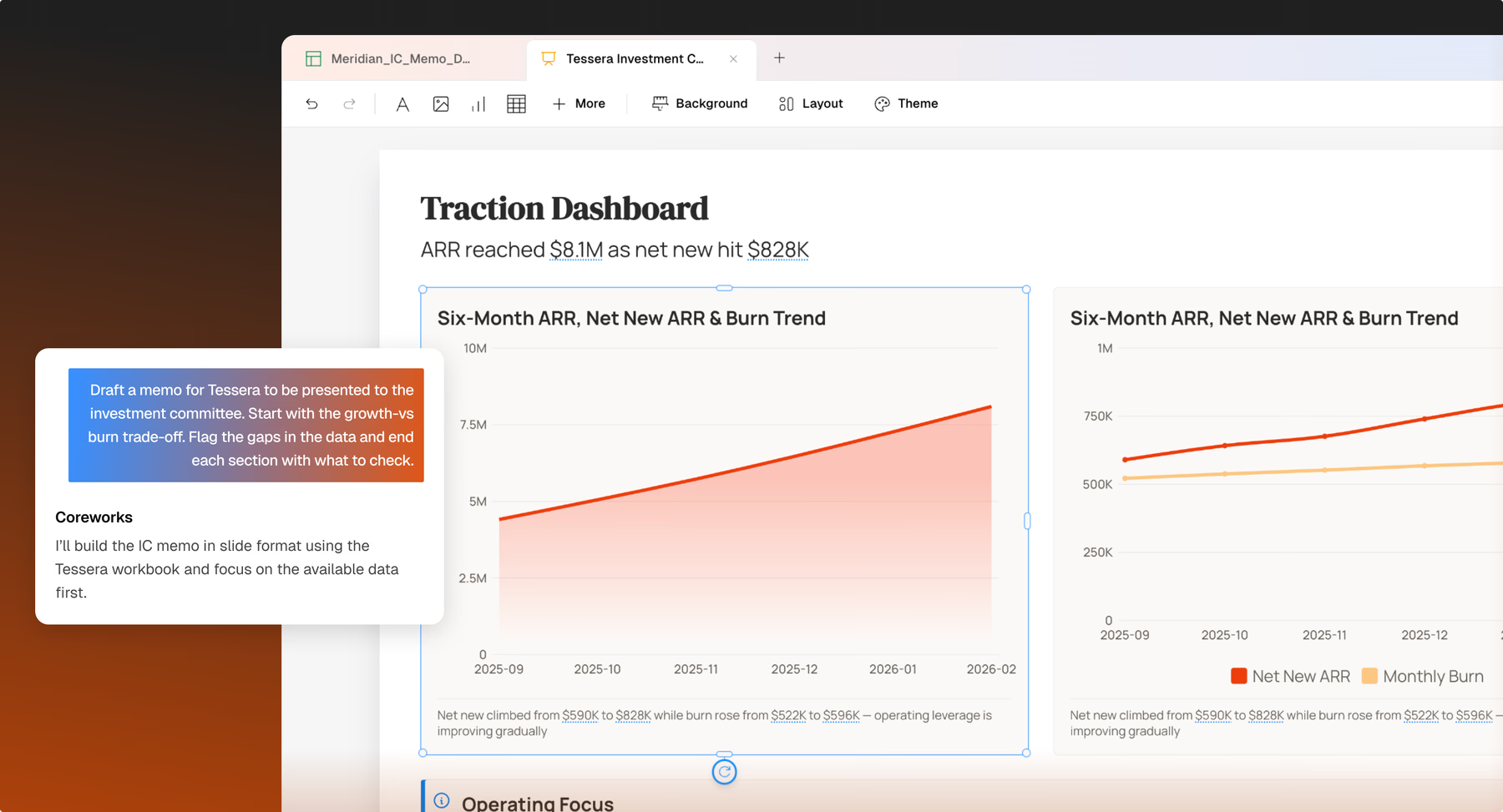
Key insights, trends, anomalies, highlighted.
A real story with structure, tone, and flow
Every number tied to its source formula, live
Fonts, colors, layout — the whole system, applied
Coreworks reads your data the way a sharp analyst would. Not row by row, but in context. It spots the trend that's been building for three quarters, the outlier that doesn't add up, the segment that's quietly killing it. No queries, no dashboards. just the findings, communicated clearly.
Rising, falling, and inflection points surfaced for you
Outliers and unexpected values caught before the meeting
The most significant findings lead. The rest support.
Most tools show you everything. We show you what matters.
You get a deck with a clear take - opening, evidence, recommendation - created for the room you're walking into. Open it, glance through it, walk in. That's the whole workflow.
A real narrative arc, not data dumps strung together
Tuned to your audience
Cover slide to closing recommendation, from the first draft
"Our executive KPI deck is usually a fire drill. Seeing it generated automatically from data — structured the way I asked for it to be — changes everything!"
thomas brennan · chief of staff
No more hunting through spreadsheets to defend a number. Every figure in your deck is connected to the row, column, and formula it came from. Verify before the meeting, or pull up the source right there in the room.
Click any figure, see its formula, cell, and source file
Update the data — every affected number reflows automatically
Every transformation logged, so reviews stay simple
"I could click any number in our revenue analysis and trace exactly how it was calculated. That level of auditability is something we've never had before in a presentation tool."
david park · director of strategy
You pick the audience, structure, and tone. You get full edit rights on every slide, every chart, every number. Nothing is locked, nothing requires an export. It's your deck. We just did the hard part.
Bring whatever data you've got. We'll figure out the rest.
Excel, CSV, Google Sheets, raw platform exports - drop them all in. Mix files from different systems and Coreworks reconciles them. No cleaning step. No schema mapping. No wrangling on your end
A first draft that's fully editable. No PowerPoint round-trip required.
Your deck lands on an editable canvas. Change a chart type, rewrite a slide, swap a data series, drag to reorder, ask Coreworks to regenerate a section. All in place, all without touching PowerPoint.
A few smart questions up front. A much better first draft.
Before we build anything, we ask the questions a good analyst would ask first: who's in the room, what structure works for them, what conclusion you want to land on. Answer them and your first draft is close to final. Skip them and we'll use smart defaults.
Upload one of your existing decks and Coreworks extracts your full design system: fonts, colors, spacing, slide structure. Everything it builds from that point looks like yours. Or skip the upload and use our existing themes.
everything else
All of this ships with every Coreworks workspace, on every plan.
Multi-source data ingestion — Excel, CSV, Sheets, exports
Source traceability — every number, every formula
Automatic data unification and cleaning
Live data sync — one click to refresh the whole deck
Pre-build audience and structure questioning
Brand deck upload and automatic replication
Semantic insight, trend, and anomaly detection
Detailed theme editor — colors, fonts, layout, charts
Narrative-led deck structure with auto-paced flow
Multiple themes per workspace, switchable per deck
Fully editable canvas — no PowerPoint round-trip
Export to PDF or live share link
what people are saying
"The fact that it asked me how I wanted the deck structured before building it. That's the detail that makes the output actually usable from the first run."
"We’re building our next board update deck in Coreworks. The idea that it stays connected to our source data, and any exec can drill into any number, changes how we present."
"For a compliance summary I need to present to the board, every number has to be airtight. Coreworks is the first tool that makes that actually easy."
Upload a real file. See what Coreworks does with it. If your first deck isn't impressive, you've spent five minutes. If it is, you've found your new analyst.
Built by the team behind Unbxd — trusted by 1,300+ global retailers.
Happy to answer any question before you sign up.